
Understanding iGaming website link safety can help readers recognize suspicious addresses, identify misleading redirects, and make more informed decisions before interacting with an unfamiliar website.
Pointovu.com explores practical ways to assess website links, understand common warning signs, and recognize the limitations of online verification tools.
Finding an online gaming website often starts with a link shared through a search result, message, advertisement, or third-party page. Although opening a link may seem like a simple action, the destination is not always what the displayed text suggests.
Why Website Link Verification Matters
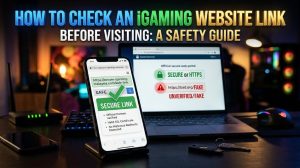
A website link directs a browser to a particular online destination. In straightforward cases, the address leads to the website the visitor expects. However, some links use shortened URLs, multiple redirects, misleading domain names, or deceptive messages to hide their actual destinations.
These techniques are not always malicious. Businesses may use redirects for legitimate purposes, and shortened links can be useful in ordinary communications. The important question is whether the destination is transparent and consistent with the source’s claims.
Checking a link before visiting can help reduce exposure to phishing pages, imitation websites, unwanted downloads, and other online threats.
For websites associated with iGaming, link verification is only one part of a broader assessment. It does not establish whether an operator is licensed, whether its services are lawful in a particular location, or whether it handles financial transactions responsibly.
1. Examine the Full Website Address
One of the simplest checks is to inspect the complete URL before opening a link.
A URL generally contains several components, including the protocol, domain name, and optional path. Understanding the domain is especially useful when checking whether an address matches the website you intended to visit.
For example:
https://example.com/account
In this example:
https://is the protocol.example.comis the domain./accountis the path to a particular resource.
The domain is especially important because the path that follows it does not independently establish the identity of the website operator.
A misleading address might contain a familiar brand name in a subdomain or path while using an entirely different registered domain.
For example, an address resembling brand.example.net belongs to the example.net domain, not automatically to the organization named brand.
Always inspect the actual domain rather than relying on familiar words appearing elsewhere in the URL.
2. Look for Suspicious Domain Variations
Some deceptive websites use domain names that closely resemble those of established organizations.
Common warning signs include:
- Unexpected spelling changes.
- Additional words or characters in the domain.
- Unusual combinations of letters and numbers.
- A different domain extension from the one advertised.
- Characters that visually resemble other letters.
These differences can be difficult to notice, especially on a mobile screen.
However, an unfamiliar domain is not automatically dangerous. Organizations sometimes use multiple legitimate domains for regional services, campaigns, or technical purposes.
The appropriate response is to verify the address through an independent source rather than assuming that a similar-looking domain is genuine.
If an organization publishes its official website through an established corporate profile or verified communication channel, compare the address with that source.
Avoid relying exclusively on a link supplied by the same unfamiliar website you are trying to verify.
3. Understand HTTPS and Website Security
Many websites use HTTPS to encrypt information exchanged between a browser and the website.
An HTTPS connection is important because it helps protect transmitted data against certain forms of interception. Nevertheless, it does not prove that the website operator is trustworthy.
A fraudulent website can also use HTTPS.
For that reason, a secure connection should be treated as one technical indicator rather than a complete security assessment.
When examining an unfamiliar website, consider additional questions:
- Does the domain match the organization being represented?
- Is the operator’s identity clearly disclosed?
- Is there an understandable privacy policy?
- Are contact and support details consistent?
- Are important terms and conditions accessible?
- Does the website request information that appears unnecessary for its stated purpose?
The answers may help you identify reasons to investigate further, although no checklist can guarantee that a website is safe.
4. Be Careful with Redirects and Shortened Links
Some links send visitors through one or more intermediate addresses before reaching the final destination. This process is known as redirection.
Redirects are commonly used for legitimate purposes, including website migrations, analytics, and campaign tracking. However, they can also obscure where a link leads.
Shortened links create a similar challenge because the visible address may not reveal the destination.
If you receive an unexpected link, consider the following precautions:
- Check whether the message comes from a source you recognize.
- Look for an official destination address in the organization’s published information.
- Use a reputable URL-expansion service when you need to inspect a shortened link.
- Avoid proceeding if the destination changes unexpectedly or appears unrelated to the original message.
- Do not enter passwords, payment information, or verification codes on a destination you have not adequately assessed.
Remember that a redirect checker can reveal an address sequence, but it cannot certify that the final website is legitimate.
5. Use Website Reputation and Security Tools Carefully
Online security tools can provide additional information about unfamiliar domains.
Depending on the service, these tools may identify known phishing pages, reported malicious websites, suspicious downloads, or other security concerns.
For example, Google’s Safe Browsing resources provide information about web threats and related protection technologies.
A clean result should not be interpreted as proof of complete safety. New websites and recently compromised domains may not yet appear in reputation databases.
Likewise, a warning should be taken seriously even if a website looks professional.
Use security tools as part of a broader review, and avoid submitting private account details or confidential information to an unfamiliar checking service.
6. Review the Website Operator and Published Terms
For an iGaming website, technical link checks are not enough. Readers should also examine information about the organization operating the service.
Relevant details may include:
Operator identity: Does the website identify the business responsible for the service?
Licensing information: If the operator claims to hold a gambling licence, can that claim be checked through the relevant regulator’s official records?
Terms and conditions: Are account rules, promotional requirements, fees, and withdrawal conditions explained clearly?
Privacy policy: Does the website describe how personal information is collected, used, stored, and shared?
Customer support: Are support channels and complaint procedures clearly explained?
The absence of information does not automatically establish fraud, but it can make independent assessment more difficult.
Licensing requirements also differ across jurisdictions. A licence issued in one location does not necessarily authorize an operator to offer gambling services everywhere.
Readers should check the applicable rules in their own location before using any gambling-related service.
7. Recognize Common Phishing Warning Signs
Phishing attempts often rely on urgency, impersonation, or the promise of a reward to persuade people to act without checking a link carefully.
Examples include messages claiming that an account will be closed immediately, an unexpected bonus must be claimed within minutes, or a payment problem requires urgent verification.
Other warning signs include requests for passwords, one-time verification codes, sensitive financial details, or downloads that have no clear purpose.
Poor grammar can sometimes be a warning sign, but professionally written messages can also be deceptive.
If a message claims to come from a known organization, navigate to its website independently using a trusted address rather than following the unexpected link.
Never share authentication codes or passwords with someone who contacts you unexpectedly.
8. What to Do If a Link Looks Suspicious
If an address appears suspicious, the safest response is to avoid interacting with it until you have more reliable information.
Do not download files, approve unexpected permissions, enter credentials, or submit financial information.
If you have already opened the website, simply visiting it does not necessarily mean your device has been compromised. Close the page if it appears deceptive, and do not follow additional instructions presented by the site.
If you entered a password, change it through the genuine service using a trusted route. If the same password is used elsewhere, update those accounts too. Enable multifactor authentication where available.
If you submitted payment information or believe a financial account may be at risk, contact the relevant financial institution through its official communication channels.
If you downloaded a suspicious file, avoid opening it and use appropriate security software to assess the device.
Prompt action can help limit potential harm, although the appropriate response depends on what information was shared and what activity occurred.
9. A Practical Website Link Safety Checklist
Before visiting or interacting with an unfamiliar iGaming website, consider this checklist:
- Domain: Does the address match the intended organization?
- Source: Did the link come from a credible, independently verifiable source?
- Redirects: Is the final destination consistent with the original purpose?
- Connection: Does the website use HTTPS?
- Operator: Is the responsible organization clearly identified?
- Licensing: Can any licensing claim be verified through the relevant regulator?
- Privacy: Are data-handling practices explained?
- Terms: Are important conditions available and understandable?
- Security warnings: Do reputable security tools identify known risks?
- Local requirements: Is the service lawful in your location?
No single answer establishes that a website is completely safe. The checklist is intended to help identify warning signs and guide further verification.
Conclusion
Checking an unfamiliar website link is a useful digital safety habit. By examining the domain, understanding redirects, reviewing security indicators, and checking information about the website operator, readers can make more informed decisions about online destinations.
For iGaming-related websites, the assessment should go beyond the URL itself. Licensing claims, published terms, privacy practices, and local legal requirements also deserve attention.
Pointovu.com provides educational information to help readers understand these checks and recognize common online risks. The goal is not to label every unfamiliar link as dangerous or to guarantee that a particular destination is safe, but to encourage careful verification before sharing information or using an online service.
Disclaimer: This article is for general informational and educational purposes only. It does not certify, endorse, or guarantee the safety or legitimacy of any particular website. Website status can change, and readers should independently verify important information before proceeding. Gambling involves financial risk and may be restricted or prohibited in some jurisdictions.